
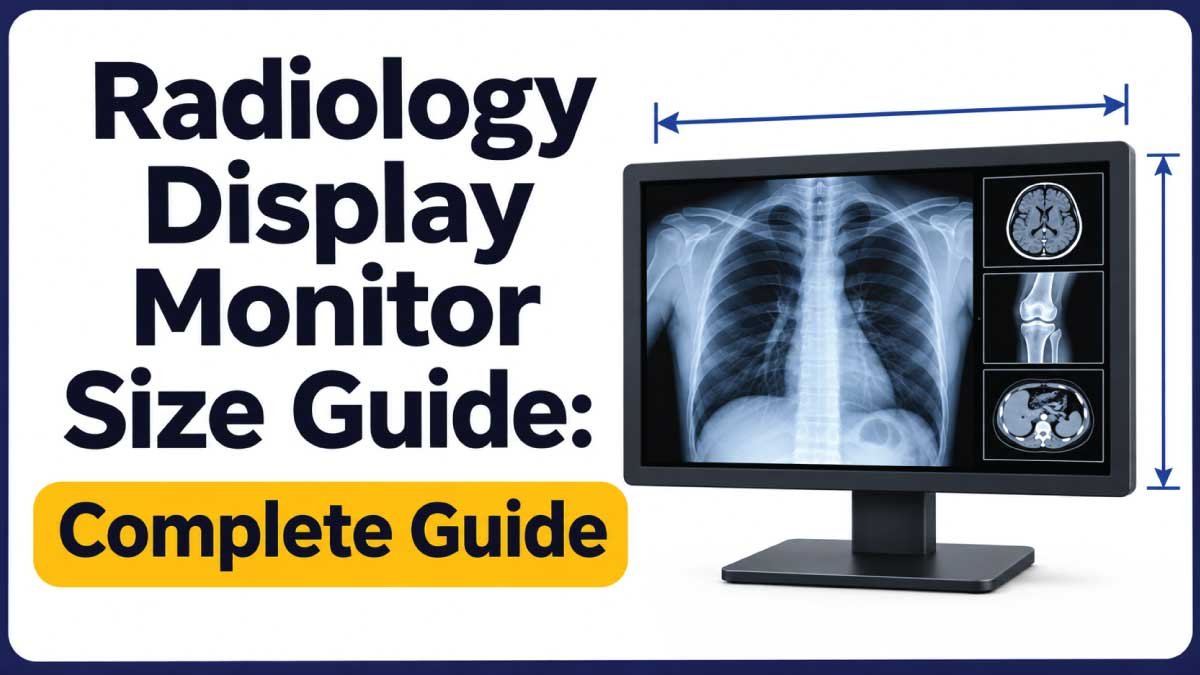
Radiology display monitors play an important role in medical imaging because they allow radiologists and other healthcare professionals to examine X-rays, CT scans, MRI images, mammograms, and other diagnostic studies. Unlike ordinary computer monitors, medical displays are designed to support specific imaging workflows, image quality requirements, and clinical viewing conditions.
Choosing the correct radiology display monitor size is important for diagnostic accuracy, workstation planning, and comfortable image interpretation. Screen size affects how medical images are displayed, how many images can be viewed simultaneously, and how easily radiologists can examine fine anatomical details.
Radiology monitors are available in several sizes, commonly ranging from approximately 19 inches to 32 inches or larger. However, the best size depends on the imaging application, display resolution, pixel density, luminance, grayscale performance, and applicable medical imaging standards.
This guide explains radiology display monitor sizes, common dimensions, resolution options, diagnostic applications, and important factors to consider when selecting a medical imaging monitor.
What Is a Radiology Display Monitor?
A radiology display monitor is a specialized screen used to view and interpret medical images produced by diagnostic imaging equipment.
These monitors are designed for medical environments where image quality and consistent display performance are important. They may be used for primary diagnosis, clinical review, image comparison, and medical image reporting.
Unlike standard office monitors, diagnostic displays may include specialized technologies such as:
- High-resolution panels for displaying detailed medical images.
- High luminance for viewing subtle image differences.
- Grayscale calibration for consistent brightness levels.
- Uniformity correction to maintain consistent image appearance.
- DICOM GSDF calibration for standardized grayscale presentation.
- Quality assurance features for monitoring display performance.
Radiology display monitors are commonly used in hospitals, diagnostic imaging centers, radiology departments, and specialized medical practices.
Not every medical monitor is approved or suitable for primary diagnosis. The appropriate display depends on the examination type, clinical requirements, and applicable regulations.
Radiology Display Monitor Size Chart
Radiology display monitors are available in different screen sizes to support general diagnostic imaging, cross-sectional imaging, mammography, and clinical review.
The following chart provides common monitor size categories and approximate physical dimensions for widescreen displays with a 16:9 aspect ratio.
| Monitor Size | Approx. Width | Approx. Height | Typical Application |
|---|---|---|---|
| 19 inches | 16.6 in | 9.3 in | Clinical review |
| 21.5 inches | 18.7 in | 10.5 in | General medical viewing |
| 23.8 inches | 20.8 in | 11.7 in | Medical imaging review |
| 24 inches | 20.9 in | 11.8 in | General radiology |
| 27 inches | 23.5 in | 13.2 in | Diagnostic imaging |
| 30 inches | 26.1 in | 14.7 in | Advanced imaging workflows |
| 32 inches | 27.9 in | 15.7 in | High-resolution diagnostic viewing |
These measurements represent the approximate visible screen area, not the complete monitor housing. Actual external dimensions vary by manufacturer, bezel design, stand, and display configuration.
Some diagnostic displays use different aspect ratios, including 4:3, 5:4, and 16:10. Their physical dimensions will differ from the widescreen examples above.
Radiology Monitor Sizes by Application
Different radiology applications require different display characteristics. A monitor suitable for reviewing general clinical images may not meet the requirements of specialized diagnostic work.
1. General Radiology Monitor Size
General radiology monitors are used to examine conventional X-ray images and other medical imaging studies.
Common screen sizes include 21.5, 23.8, 24, and 27 inches.
A larger screen can provide more viewing space, making it easier to compare images, inspect anatomical structures, and organize diagnostic applications.
General radiology workflows may include:
- Chest X-ray interpretation.
- Bone and joint imaging.
- Abdominal radiography.
- Spine examinations.
- Routine diagnostic image review.
For primary diagnostic use, screen size should be evaluated alongside resolution, luminance, grayscale performance, and calibration requirements.
2. Diagnostic Radiology Monitor Size
Diagnostic radiology monitors are designed for professional image interpretation.
Common sizes include 24, 27, and 30 inches, although specialized models are available in other configurations.
The appropriate display depends on the imaging modality and the amount of image detail that must be examined.
Important characteristics include:
- High pixel resolution.
- Accurate grayscale reproduction.
- Consistent brightness.
- DICOM GSDF calibration.
- Suitable pixel pitch.
- Display uniformity.
A larger monitor is not automatically better. A display with appropriate resolution and pixel density may provide more useful diagnostic detail than a larger screen with insufficient resolution.
3. Mammography Monitor Size
Mammography requires specialized display performance because radiologists must examine subtle breast tissue details and small abnormalities.
Mammography workstations often use two high-resolution diagnostic monitors, allowing radiologists to compare images from different views or examinations.
Common configurations include:
- Dual 5-megapixel displays.
- Specialized 5-megapixel portrait-oriented monitors.
- High-resolution diagnostic displays designed for breast imaging.
The actual screen size and resolution depend on the monitor model and diagnostic requirements.
Mammography displays should meet the applicable requirements for luminance, grayscale presentation, calibration, and quality assurance. A standard office monitor should not be assumed suitable for primary mammography interpretation.
4. CT and MRI Monitor Size
Computed tomography and magnetic resonance imaging produce image series containing multiple cross-sectional images.
Radiologists often need to view several images simultaneously, compare different anatomical planes, and review image sequences.
Common workstation monitor sizes include 24, 27, and 30 inches or larger.
Larger displays can help accommodate:
- Multiple image viewports.
- Axial, coronal, and sagittal images.
- Measurement tools.
- Patient study information.
- Reporting applications.
The required size depends on the workstation software, number of displayed images, resolution, and reading workflow.
5. Portable and Clinical Review Monitor Size
Portable medical displays and clinical review monitors are used in situations where flexibility and convenience are important.
They may be used for reviewing medical images, accessing patient records, or supporting clinical discussions.
Common screen sizes range from approximately 13 to 24 inches.
However, a portable screen is not automatically appropriate for primary diagnostic interpretation. Its suitability depends on its technical specifications, calibration, and intended clinical use.
Radiology Monitor Resolution Chart
Resolution describes the number of pixels used to create an image on a display.
It is one of the most important specifications when selecting a radiology monitor because it affects the amount of image information that can be displayed.
Common display resolutions include:
| Resolution | Total Pixels | Common Applications |
|---|---|---|
| 1280 × 1024 | 1.31 megapixels | Older medical displays |
| 1920 × 1080 | 2.07 megapixels | Clinical review |
| 1920 × 1200 | 2.30 megapixels | Medical imaging workstations |
| 2560 × 1440 | 3.69 megapixels | High-resolution review |
| 2560 × 1600 | 4.10 megapixels | Professional imaging |
| 2048 × 2560 | 5.24 megapixels | Specialized diagnostic displays |
| 3840 × 2160 | 8.29 megapixels | 4K medical imaging displays |
Resolution alone does not establish whether a monitor is suitable for diagnostic use. Pixel density, luminance, grayscale response, calibration, and quality assurance must also be considered.
What Does 2MP Mean?
A 2-megapixel display contains approximately two million pixels.
A common example is a 1920 × 1080 monitor, which contains 2,073,600 pixels.
Such displays may be suitable for clinical review and selected medical imaging workflows, depending on their specifications and intended use.
What Does 3MP Mean?
A 3-megapixel display offers more pixels than a standard Full HD screen.
A common resolution in this general category is 2560 × 1440, which contains approximately 3.69 million pixels.
It provides additional workspace for viewing images and applications.
What Does 5MP Mean?
A 5-megapixel display contains approximately five million pixels.
One example is a 2048 × 2560 display, which contains 5,242,880 pixels.
High-resolution diagnostic displays are used in specialized imaging workflows, including mammography, where the required display performance must meet applicable clinical standards.
What Does 4K Mean?
A typical 4K UHD monitor has a resolution of 3840 × 2160 pixels.
This provides approximately 8.29 million pixels, allowing a large amount of visual information to appear on the screen.
However, a 4K label does not automatically mean that a monitor is approved for diagnostic radiology. Its medical suitability depends on its complete technical and regulatory specifications.
Radiology Monitor Dimensions in Inches and Centimeters
Screen size is measured diagonally from one corner of the visible display area to the opposite corner.
For example, a 27-inch monitor has a diagonal screen measurement of 27 inches.
To convert inches into centimeters, multiply the measurement by 2.54.
| Monitor Size | Diagonal (cm) | Approx. 16:9 Width (cm) | Approx. 16:9 Height (cm) |
|---|---|---|---|
| 19 inches | 48.3 cm | 42.1 cm | 23.7 cm |
| 21.5 inches | 54.6 cm | 47.6 cm | 26.8 cm |
| 23.8 inches | 60.5 cm | 52.7 cm | 29.7 cm |
| 24 inches | 61.0 cm | 53.1 cm | 29.9 cm |
| 27 inches | 68.6 cm | 59.8 cm | 33.6 cm |
| 30 inches | 76.2 cm | 66.4 cm | 37.4 cm |
| 32 inches | 81.3 cm | 70.8 cm | 39.8 cm |
These dimensions describe the approximate active screen area for a 16:9 display. They do not include the bezel, stand, or rear housing.
How to Calculate Monitor Width and Height
For a 16:9 widescreen monitor, the approximate width and height can be calculated using the diagonal measurement.
The formulas are:
Width = Diagonal × 16 ÷ √(16² + 9²)
Height = Diagonal × 9 ÷ √(16² + 9²)
For a 27-inch display:
- Diagonal = 27 inches.
- Width = approximately 23.5 inches.
- Height = approximately 13.2 inches.
This calculation helps estimate the screen dimensions when the aspect ratio is known.
Related Guide:
Important Technical Specifications of Radiology Monitors
Selecting a radiology display requires more than comparing screen sizes. Several technical characteristics affect the monitor’s ability to present medical images accurately.
1. Luminance and Brightness
Luminance measures the amount of light emitted by a display and is usually expressed in candelas per square meter (cd/m²).
Diagnostic monitors may provide higher luminance than ordinary office displays.
Brightness requirements depend on the imaging application, display type, and applicable standards.
For medical image interpretation, luminance should be evaluated together with ambient lighting and grayscale calibration.
2. DICOM GSDF Calibration
DICOM GSDF stands for Digital Imaging and Communications in Medicine Grayscale Standard Display Function.
It provides a standardized relationship between digital image values and displayed luminance differences.
The purpose is to support consistent grayscale presentation across compatible medical displays.
DICOM GSDF calibration is particularly important when radiologists examine subtle differences in grayscale images.
However, calibration alone does not make an ordinary monitor suitable for primary diagnosis. Other performance and regulatory requirements must also be satisfied.
3. Pixel Pitch and Pixel Density
Pixel pitch describes the distance between individual pixels, while pixel density is commonly expressed as pixels per inch (PPI).
A smaller pixel pitch generally means that pixels are positioned closer together.
Higher pixel density can improve image sharpness, but its usefulness depends on the display resolution, screen size, viewing distance, and image content.
Related Guide:
4. Grayscale Performance
Grayscale performance describes how accurately a monitor displays different shades between black and white.
This is important for radiology because many diagnostic images rely heavily on subtle grayscale differences.
A suitable diagnostic display should provide consistent grayscale presentation and support the appropriate calibration requirements.
5. Display Uniformity
Display uniformity refers to the consistency of brightness across the screen.
Poor uniformity can cause one area of the display to appear brighter or darker than another.
Professional medical displays may include uniformity correction features to help maintain consistent image presentation.
6. Contrast Ratio
Contrast ratio describes the difference between the brightest and darkest levels a display can produce under specified measurement conditions.
It is one part of overall image quality, but it should not be considered independently of grayscale response, luminance, calibration, and viewing conditions.
Related Guide:
Single Monitor vs Dual Monitor Radiology Workstations
Radiologists may use single-monitor or dual-monitor workstations depending on their clinical responsibilities and imaging requirements.
Single Monitor Workstation
A single-monitor workstation uses one display for image interpretation and related applications.
Potential advantages include:
- Lower equipment cost.
- Smaller desk footprint.
- Simpler installation.
- Fewer display connections.
- Suitable for selected clinical review tasks.
A high-resolution single display can provide substantial workspace, but the suitability of this arrangement depends on the imaging workflow.
Dual Monitor Workstation
Dual-monitor workstations use two displays side by side.
They are commonly used in professional radiology environments because they provide additional viewing space.
Advantages include:
- Comparing current and previous examinations.
- Displaying multiple image series.
- Viewing images alongside patient information.
- Keeping reporting applications separate from diagnostic images.
- Supporting specialized mammography workflows.
A dual-monitor workstation requires sufficient desk width, appropriate graphics hardware, compatible display connections, and consistent calibration where required.
The two monitors should also be positioned to support comfortable viewing.
How to Choose the Right Radiology Display Monitor Size
Choosing a suitable monitor requires matching the screen size and technical specifications to the intended clinical application.
1. Identify the Imaging Application
Determine whether the display will be used for general radiography, CT, MRI, mammography, or clinical review.
Different applications have different image quality and diagnostic requirements.
2. Select an Appropriate Resolution
Consider the amount of image detail that must be displayed.
A higher-resolution monitor can provide more workspace, but resolution should be matched to the intended use and screen size.
3. Check Diagnostic Certification and Compliance
Review the manufacturer’s documentation to determine whether the monitor is intended for primary diagnostic interpretation.
Check applicable regulatory clearances and relevant medical display standards for the intended market and use.
4. Evaluate Screen Size
Consider the number of images and applications that must be displayed simultaneously.
A 24-inch monitor may be sufficient for some workflows, while larger screens or multiple displays may be preferable for more complex image interpretation.
5. Review Grayscale and Calibration Features
For diagnostic applications, evaluate DICOM GSDF support, luminance stability, grayscale performance, and quality assurance capabilities.
6. Consider Workstation Space
Measure the available desk area and check the monitor’s external dimensions, stand size, mounting requirements, and cable connections.
7. Check Graphics and Connectivity
Ensure that the workstation supports the required resolution, refresh rate, color depth, and number of connected displays.
Also verify compatibility with the imaging software and available video interfaces.
Common Mistakes When Selecting Radiology Monitor Sizes
Avoid these mistakes when comparing medical imaging monitors:
- Choosing by screen size alone: A larger display does not automatically provide better diagnostic performance.
- Ignoring resolution: A large screen with insufficient resolution may not display the required image detail.
- Confusing 4K with diagnostic certification: High resolution does not automatically establish medical suitability.
- Ignoring grayscale calibration: Diagnostic workflows may require DICOM GSDF calibration and ongoing quality assurance.
- Overlooking luminance: Brightness performance can affect the visibility of subtle image differences.
- Using ordinary office monitors for primary diagnosis: General-purpose displays should not be assumed suitable for diagnostic interpretation.
- Ignoring viewing conditions: Ambient light and viewing distance can influence image perception.
- Forgetting workstation dimensions: Monitor stands, mounting arms, and multiple screens require additional desk space.
Frequently Asked Questions About Radiology Display Monitor Sizes
1. What is the standard size of a radiology monitor?
There is no single standard size for every radiology application. Common display sizes include 24, 27, and 30 inches. Specialized diagnostic displays may use different sizes depending on the imaging modality and clinical requirements.
2. What size monitor is best for radiologists?
The appropriate size depends on the imaging workflow. A 24- or 27-inch display may suit some general radiology applications, while specialized workflows may require larger or multiple high-resolution diagnostic displays.
3. What resolution is used for radiology monitors?
Radiology monitors are available in several resolutions, including 2MP, 3MP, 5MP, and 4K configurations. The appropriate resolution depends on the imaging application and diagnostic requirements.
4. What is a 5MP radiology monitor?
A 5MP radiology monitor has approximately five million pixels. A common example is a 2048 × 2560 display with 5.24 million pixels. Such monitors are used in specialized diagnostic workflows where high-resolution grayscale imaging is required.
5. What is DICOM calibration in a radiology monitor?
DICOM GSDF calibration standardizes the relationship between digital image values and displayed grayscale luminance. It helps maintain consistent grayscale presentation across compatible medical displays.
6. Are 4K monitors suitable for radiology?
Some 4K monitors are designed for medical imaging, but resolution alone does not establish diagnostic suitability. Luminance, grayscale performance, calibration, uniformity, and applicable regulatory requirements must also be considered.
7. Why do radiologists use two monitors?
Dual-monitor workstations provide additional screen space for comparing examinations, viewing multiple image series, and displaying patient information alongside diagnostic images.
8. What is the difference between a medical monitor and a normal computer monitor?
Medical displays intended for diagnostic use may include specialized calibration, luminance, grayscale, uniformity, and quality assurance features. Ordinary computer monitors may not meet the requirements for primary diagnostic interpretation.
9. How is radiology monitor size measured?
Monitor size is measured diagonally across the visible screen, from one corner to the opposite corner. The measurement is usually expressed in inches and does not include the bezel or monitor housing.
10. Can a radiology monitor be used for other medical applications?
Yes, depending on its specifications and intended use. Some medical displays support several clinical applications, but diagnostic suitability should be verified for each specific workflow.
Conclusion
Radiology display monitor size is an important consideration when planning a medical imaging workstation. Common screen sizes range from approximately 19 to 32 inches or larger, while specialized diagnostic displays may use different resolutions and configurations for specific imaging applications.
When selecting a radiology monitor, consider screen size, resolution, luminance, grayscale performance, DICOM GSDF calibration, pixel density, and display uniformity. Also evaluate whether the monitor is intended and approved for the required diagnostic use.
The best display is not necessarily the largest one. It is the monitor whose size, image quality, and technical capabilities match the clinical application and workstation requirements.

Zak is a dedicated medical and career writer specializing in sonography, healthcare education, and professional development. Through SonographerSalary.com, he shares in-depth insights on sonographer salaries, education pathways, and career tips to help readers build successful futures in medical imaging. His content combines accuracy with practical, easy-to-understand guidance, empowering students and professionals to make confident, informed career decisions.